
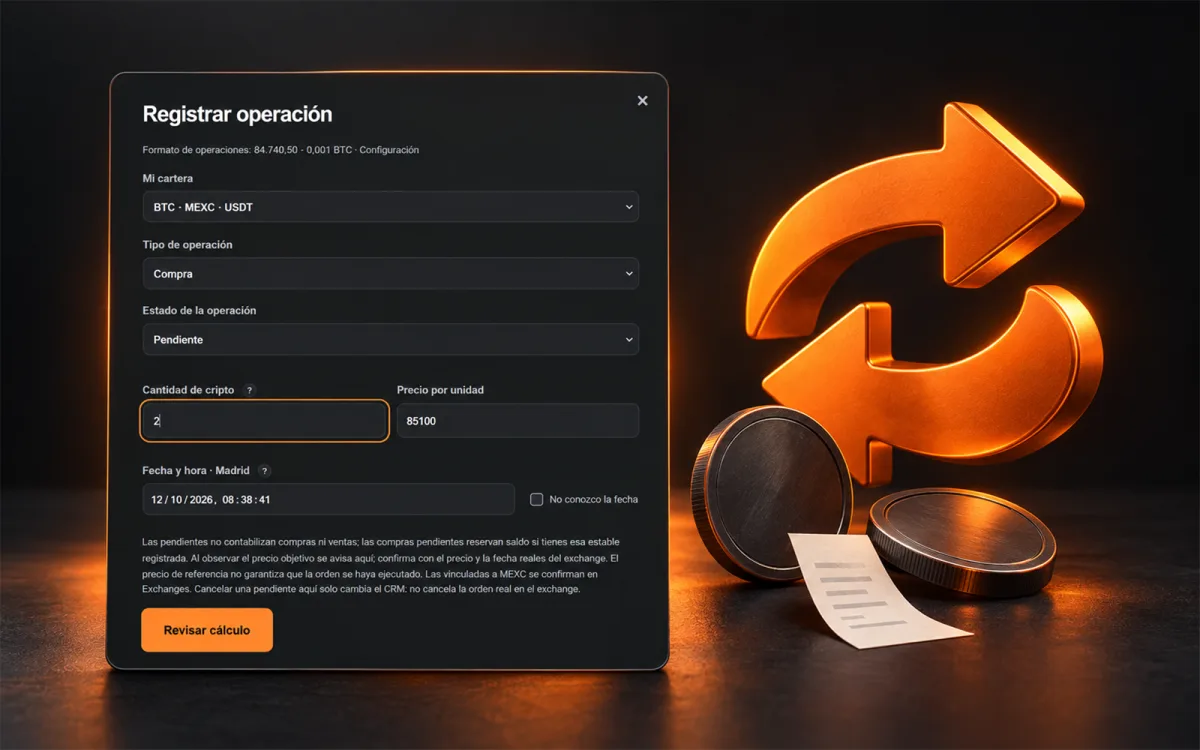
To record a crypto purchase or sale in Spotcrm, open “Record transaction”, select the position and enter its details. Free access supports up to five active cryptocurrencies. The form records transactions; it does not submit trades to your exchange.
Choose the position and transaction
Under “My portfolio”, check the cryptocurrency, exchange and payment currency. Under “Transaction type”, select Purchase or Sale: a sale records units leaving the position.
“Transaction status” distinguishes Executed from Pending. Choose Executed for a verified fill. Pending transactions do not yet count as purchases or sales; pending purchases reserve funds if you have recorded that stablecoin balance. The reference price reaching a target does not confirm execution.
Quantity, price and date
“Crypto quantity” means the units bought or sold. “Unit price” is the price of each unit in the position's currency, rather than the total amount. Follow the number format shown above the form.
For an executed transaction, enter its execution date and time in Madrid time. Chronological order matters when recalculating the portfolio; avoid using the current time for an earlier transaction.
Review before saving
Press “Review calculation”, check the summary and confirm if the details are correct. Pending transactions must later be confirmed using the actual exchange price and execution date. Calculations exclude fees.
In just one click, you can try our system.
Try free Spotcrm ↗